USER JOURNEYS / LONG READ / 2026
The Year I Started Building Software
About a year ago I wrote an article called UX in the Age of AI.
At the time, I’d already been using AI quite a lot. I used it for research, writing, analysis, generating images and all the other things that had quickly become part of everyday knowledge work.
Towards the end of that article, I encouraged designers to experiment with these new tools, even if we didn’t yet know where they were taking us. Borrowing from Paul Graham, I suggested we should live in the future, then build what’s missing.
I didn’t realise I was about to take my own advice so literally 🙂
Over the past year, the way I use AI has evolved a lot. Instead of just using AI to help me do my work, I started using it to build actual software.
And, along the way, my small experiment turned into a real product.
It started with tldraw
I’ve been a fan of tldraw for some time. It has a nice but robust simple canvas, and a great interaction model. You just open it and start drawing.
When tldraw introduced its experimental Make Real feature, which could turn drawings into working interfaces using AI, I thought it was a really cool experiment. But there was something I’d always wished tldraw had: UI components. (I’d even sent them a feedback note on Discord asking for this at some point, to no avail.)
I wanted to be able to drag a button, form field, header, navigation element or other interface component onto the tldraw canvas rather than draw everything freehand.
So, with the help of AI, I decided to try building this myself. I forked the tldraw repo and started experimenting.
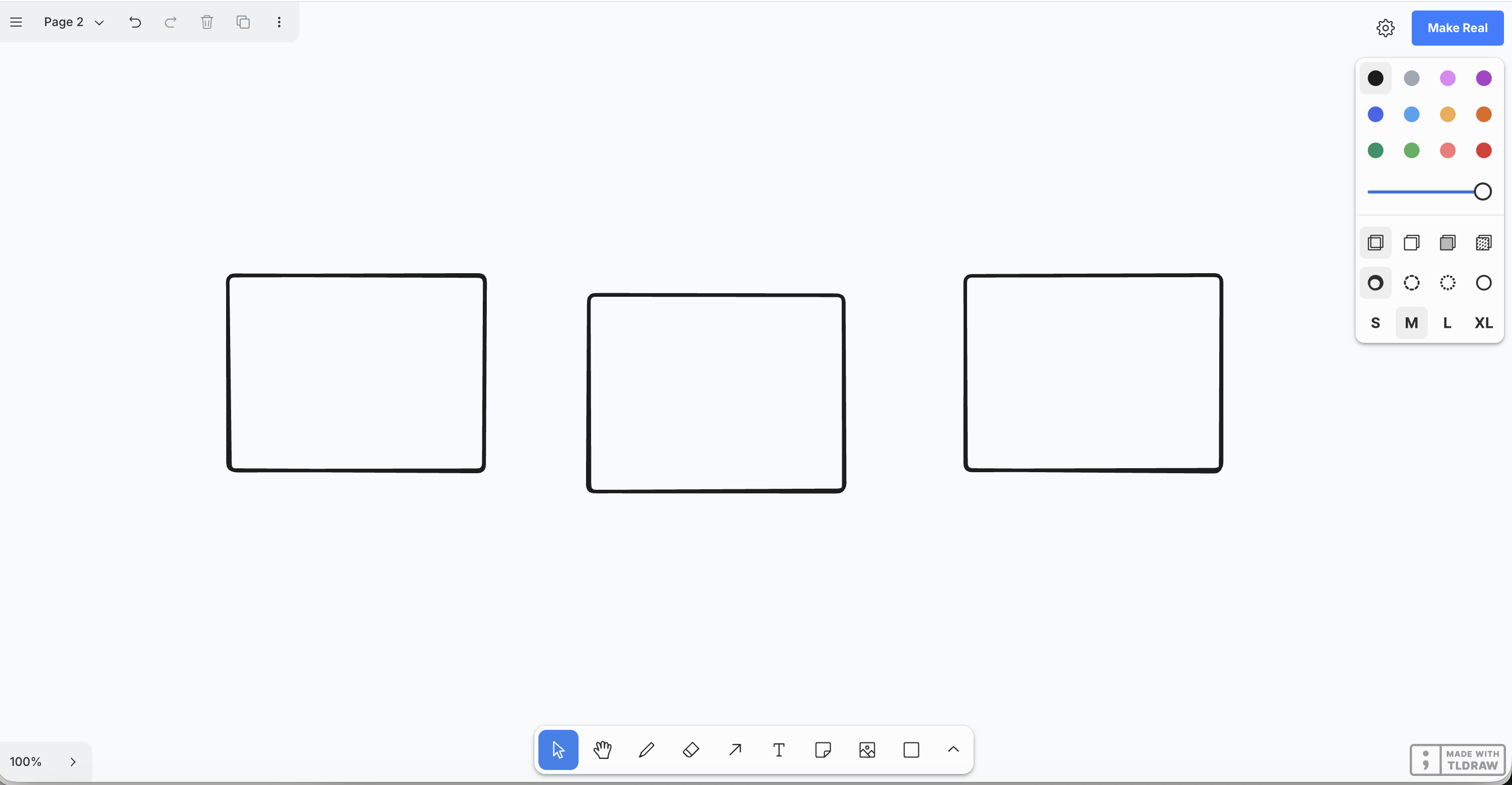
Initially I was working with both Replit and ChatGPT, and a codebase (a small set of folders and files) on my MacBook. I wasn’t ever writing any of the code myself. Instead I was describing what I wanted, getting code back and manually updating the relevant files in the repo. Then would review the changes visually, test it, find issues or opportunities for improvements, and I’d ask AI to create the code changes.
I didn’t regard myself as having suddenly become a software engineer. But equally, I wasn’t just “one-shot” prompting an AI to “make me an app”.
I was working one user story at a time, constantly making new product decisions, thinking about e.g. What should happen when you select a component on the canvas? How should dragging, resizing, etc. work? What is the right set of starter elements, and the right set of categories, for the UI Components picker? For each component, which properties should be editable inside the Inspector panel, and how? How can I evolve the default tldraw menus without making it look like a Frankenstein project? What should happen when someone deletes a component? etc. etc.
The LLMs could produce the code, but I still had to take the direction on what the product should be, and what the user experience should be.
Then the tools got better
As I explained, I tried out a combination of LLMs / AI tools as they emerged, but I felt the first big leap when I tried out Cursor.
Suddenly I could choose from a wide set of models in one place as I needed, and since they integrated with Cursor, they all understood much more of my codebase, with less need for back-and-forth copy-pasting. Instead of generating isolated chunks of code that I had to figure out where to put, Cursor could work across the project, and that quickened the pace considerably.
Later I moved much of my work to Codex, and this provided another big leap. Eventually I also started using Claude (not the other way round, unlike most!), and switched between the two, depending on the tasks — and how much usage I had remaining in any given weekend! I used Claude Cowork initially, then a combination of Claude Code and Claude Design. I’ve used other tools along the way too, like GitHub Copilot and Paper.design (for vision/ideation work — which is what I now use Claude Design for). Another huge leap forward came recently, when models such as Claude Fable and ChatGPT 5.6 arrived.
As the tools improved, so too did my own ambition. Things that initially seemed far too difficult, like creating an entirely native canvas-and-editor tool, became plausible.
The experiment became a product
Like I said, my original idea was essentially tldraw plus a set of UI components and an AI “make this real” capability. I even built my own AI assistant at one point, to help users prompt the tool to build wireframes based on verbal descriptions, but I dropped that idea after a while.
As the product started evolving, I realised that instead of a drawing tool with various AI gimmicks, I was become more interested in just building a really good web-based wireframing tool.
I’ve used wireframes throughout my career. I still like their deliberate “early draft” nature. With wireframes, it’s easy to design concepts quickly,, and a wireframe gives you enough fidelity to talk about structure, hierarchy, content, flow, and interactions, without prematurely getting bogged down in colour, typography and visual polish. Wireframes also help collaborators understand that there’s still room to evolve the designs based on feedback.
After many months of building out the interaction design and look-and-feel of this wireframing tool, eventually another fairly significant thing happened – I removed tldraw and recreated my own product from scratch, with its own native canvas editor.
By this stage, the AI models and coding tools had improved enough, I had made enough progress with all the necessary product decisions, that building a standalone tool had become feasible. So, with considerable AI assistance, I replaced the original foundation of my original repo. What had begun as a small experiment was now genuinely its own product.
I called it Shape.
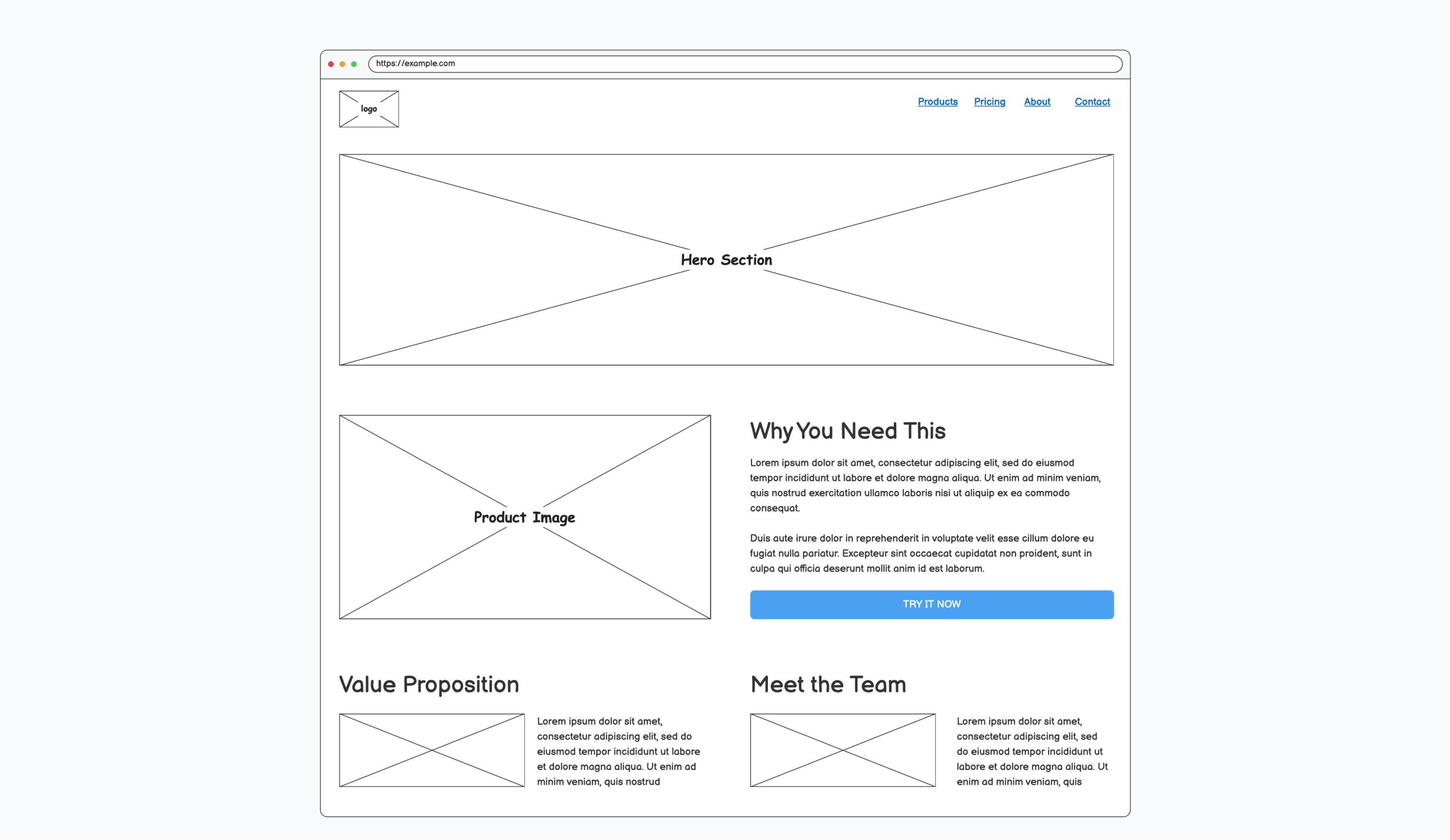
And I put it on the internet
Building something locally was one thing. Turning it into a product other people can actually use required quite a bit more effort and orchestration. I had to consider version control, authentication, databases, project saving and sharing, security, privacy policies, deployment, etc.
Some of these are all areas that, in the past, I may not have spent much of my thinking about, and would often have relied on somebody else to take care of.
With the help of AI, I ended up deploying Shape using Cloudflare and gradually turned my local experiment into a real web application at shape.ink.
It now has saved projects, a “scratchpad” (draft mode) for users who don’t want to create in and , sharing, exports, reusable components, templates and a mobile experience.
When I was preparing to share it publicly, I realised that most people clicking a link on, say, LinkedIn or X, would probably first see it on their phone.
So I built a mobile version too 🙂
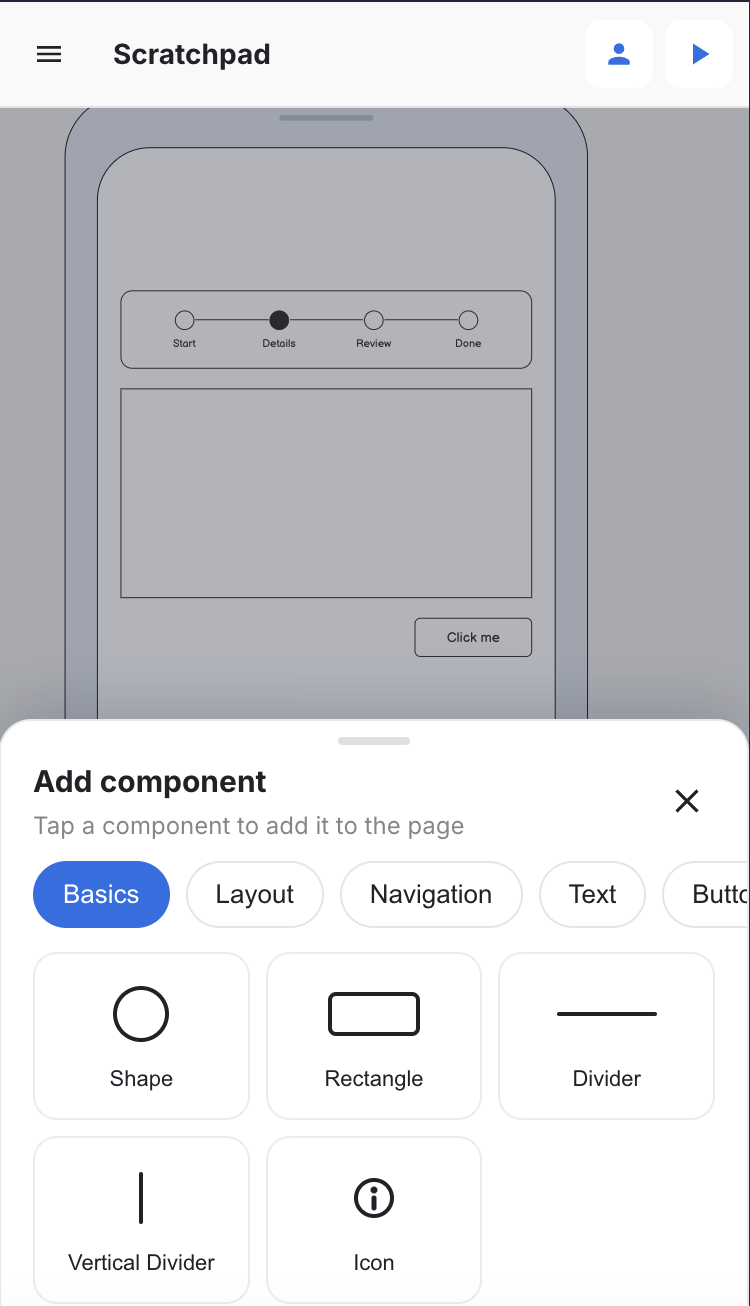
I’m not sure that anyone wants to do UX/UI design work on a phone. But I figured they might want to e.g. just open a wireframe, make a quick change, and/or simply review some designs.
Yes, I use it myself
Shape is live now and I can see that people other than me have found it online and used it, which feels slightly strange. But in other ways, I’m not so surprised because I genuinely use it for concept design. In fact, I use Shape to design Shape!
I use if for everyday things too. For example, recently we were planning to have some work done on our home. I wanted to explore a few kitchen extension layouts, and share some ideas with the builder, so I opened Shape and drew some options, and he understood what I wanted. (And so did my wife!)
That was a nice moment.
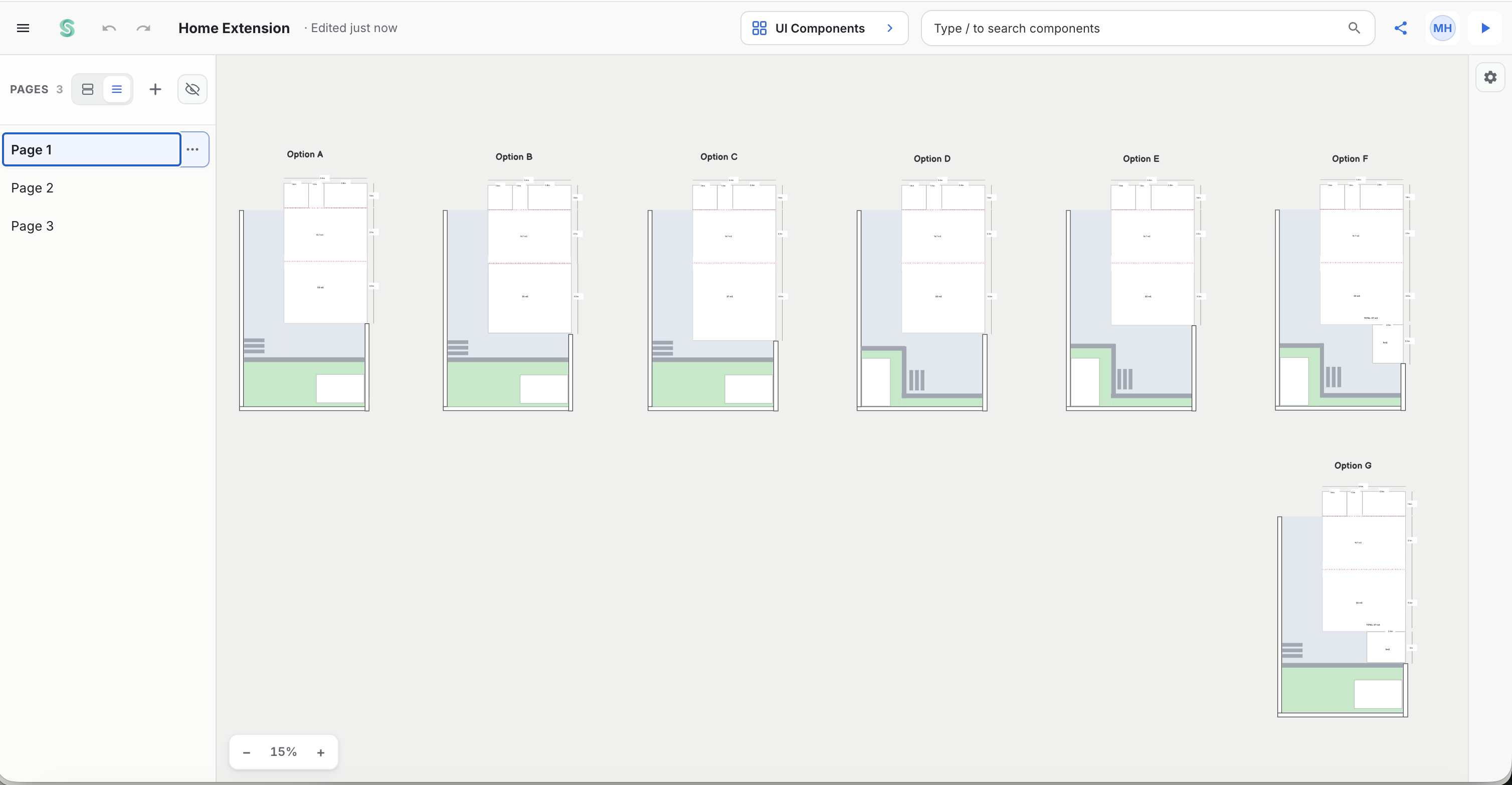
Also, Shape is free. You can create projects without paying anything, and there is also a completely free drafts space that I call “scratchpad”, which doesn’t even require the commitment of signing in, or starting a proper project.
At some point, if running Shape starts costing me meaningful money, perhaps I may consider offering paid features for heavier users, if there ever are any such users.
In the meantime, the fact that almost anyone can now build a useful and reasonably sophisticated (in my opinion!) SAAS product as a side project makes me wonder where software in general is heading.
There will be a lot more software out there in the wild. There may be far more supply than demand. Software may become commoditised. In the end, perhaps most if not all software will be free.
BTW, I haven’t stopped building Shape
In fact, since releasing Shape.ink, I’ve accelerated, partly due to the increasing power of the models.
The current (at time of writing) live version of Shape is deliberately low fidelity. But increasingly I’ve been thinking back to my own design process, and wondering if low-fi is enough.
In my own workflow, I typically start low-fi: just simple screens with boxes, text, buttons, dummy text, etc. I want to think about the problem and potential solution before I worry about visual design.
Eventually, after a lot of iteration and (hopefully) feedback, I may feel ready to move into high fidelity. That typically means leaving the wireframing tools like Balsamiq and recreating a polished version the design into something like Figma. Of course, the trend in recent years has been to do everything in Figma, which has always been unsatisfying for me, because a) Figma doesn’t have a wireframe kit that offers the same power as Balsamiq and b) it’s difficult not to gravitate to high fidelity in Figma anyway — lowfi in Figma feels like too much effort.
So I started wondering: What if one tool could do both lowfi and hifi work? And that’s exactly what I’m working on now: I’m giving Shape a hi-fi mode alongside its existing lo-fi mode.
I’m not trying to reproduce everything modern Figma or Sketch can do. I think both tools (and others, like Sketch for example) are great for their own purposes.
My idea is to give users the simplicity of low-fi tools (ready-made components, simple configuration easy editing, etc.) while offering them most advanced control (frames, advanced typography, colour and layout, etc.). And to help them easily produce a polished interface when they’re ready, without immediately exposing them to every advanced feature imaginable.
I expect that some people might only use Shape’s lo-fi mode. Others might only use hi-fi. Others still, like me, might start with a rough wireframe, turn it into a clickable prototype, gradually increase its fidelity, and eventually produce a finished design.
That lowfi <–> hifi version of Shape is what I’m working on now, and it’s nearly done.
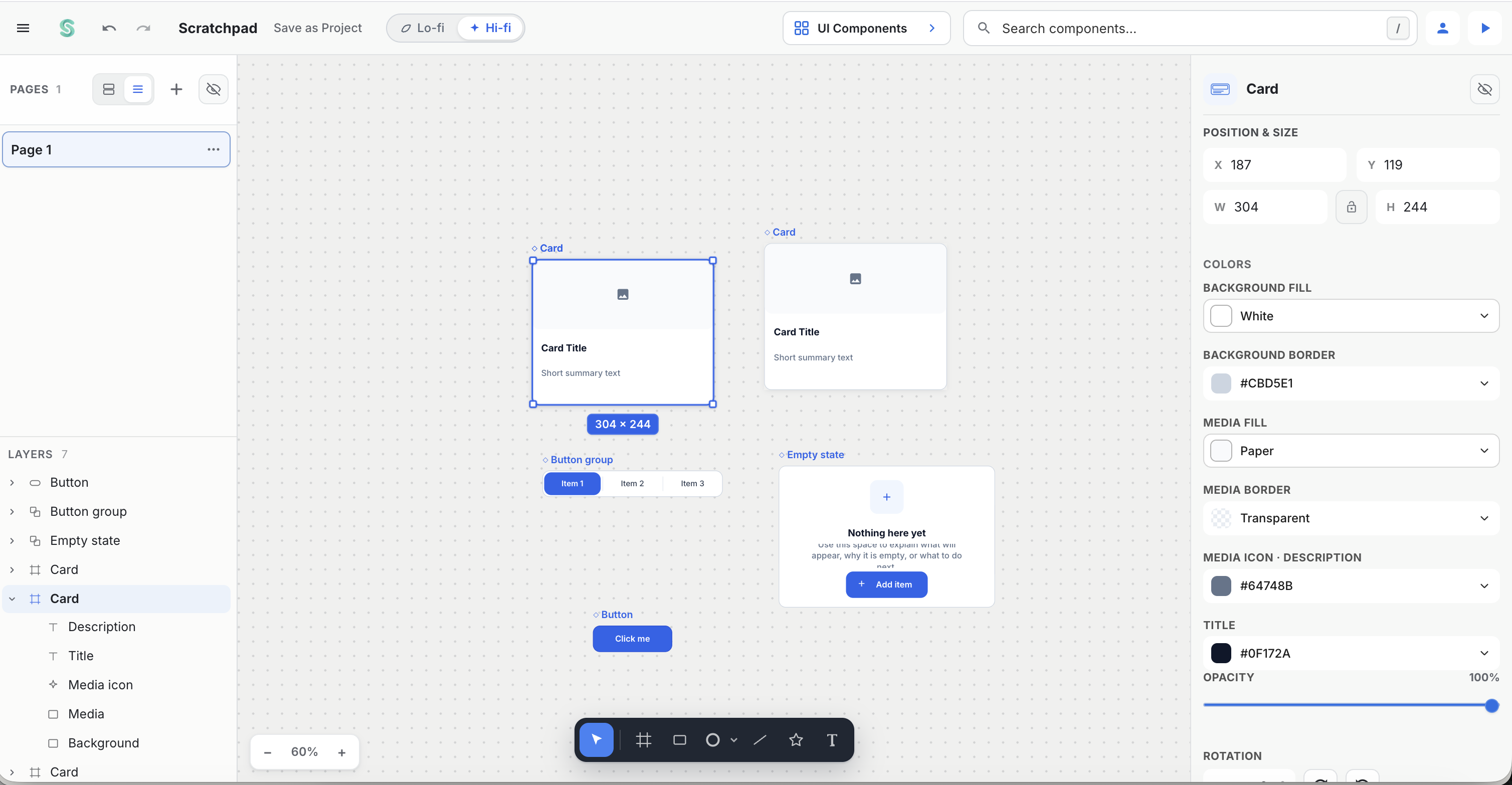
And the next step I want is a good hand-off to Figma. Figma has an enormous ecosystem and sophisticated capabilities that I have no interest in trying to recreate. I’d rather try to offer a tool that aligns with the “traditional” UX workflow. I’m not sure if it will work — ironically because AI is rapidly disrupting that UX workflow — but it’s an interesting and enjoyable experiment.
Building teaches you things that designing doesn’t
I’ve worked in technology and design/UX since the 1990s. In that time, I’ve worked closely with many accomplished engineers and product managers. Today I work in a large software product organisation where software, as I’ve said before, is a team sport.
But there is still something different about building something entirely by yourself, learning by doing. When there is nobody else to hand parts of the problem to, you start seeing product design and development differently.
I believe that product design and development skills are shifting towards directing AI tools effectively: having a vision of what to build, understanding why it’s right, recognising when the result is wrong, and having enough patience, persistence and good judgement to keep iterating until the solution feels right.
The bottleneck has moved
With AI, I can now make software much faster than I can properly evaluate it.
For example, I can add, say, six new features in an evening. But I can’t necessarily meaningfully use, let alone test, those six features properly in an evening.
I need to come back the next evening. Try them again. Use them on a real personal design project. Discover what doesn’t work well, and any other rough edges, including any thing that broke or regressed while I was fixing something unrelated.
In software, we’ve always talked about dogfooding your own product. I think that becomes even more important when AI dramatically increases the speed at which we can create things.
The old bottleneck was being able to build the thing. The new bottleneck is owning the quality.
For quality, that last 10% is what matters, and it hasn’t become 10 times faster just because the first 90% has. Maybe it never will.
An unexpected observation
There’s something else slightly personal about this whole experience. I’m “making things” more than I have in years, and I’m loving it.
There is extraordinary creative power in being able to have an idea and immediately start turning it into something real.
Last year I wrote that this wasn’t the end of UX, but the beginning of a new chapter for designers. A year later, I believe that even more.